How to Build Your First AI Chatbot Without Coding: 7 Safe Steps for 2026
Learn how to build your first AI chatbot without coding, using safe, no-code tools and steps that protect your users and your business.
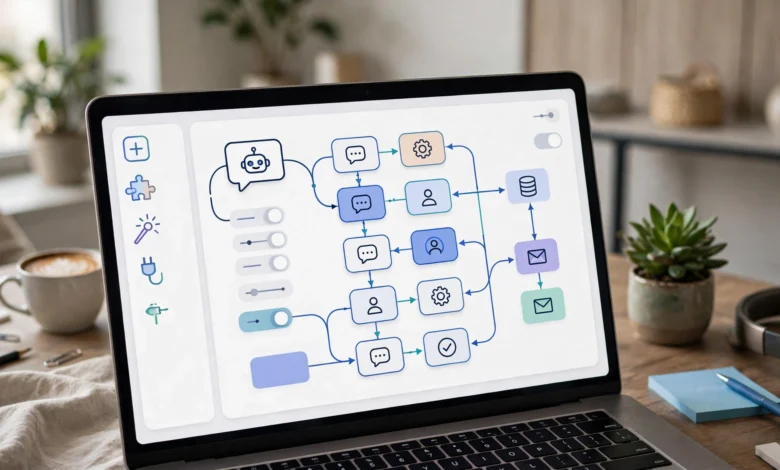
If you have ever wanted to build your first AI chatbot but assumed you needed a computer science degree to do it, that assumption is outdated. In 2026, no-code AI chatbot platforms let business owners, marketers, and solo founders create a working assistant in an afternoon, without touching a line of code.
That accessibility is a genuine win. A chatbot can answer questions at 2 a.m., qualify a lead while you sleep, and free up hours you used to spend on repetitive email. But that same accessibility has a darker side. The same tools that let a small business owner build a helpful support bot have also been used to impersonate real people, run phishing scams, and mislead voters. One of the most well known cases involved an AI-generated robocall that mimicked President Biden’s voice to discourage New Hampshire residents from voting, a scheme that led to a $6 million FCC fine and criminal charges against the consultant behind it.
This guide walks through how to build a no-code chatbot the right way: practical steps, realistic expectations, and a clear look at where things have gone wrong so you can avoid the same mistakes. No hype, no shortcuts around consent or transparency, just a straightforward path from idea to a chatbot people can actually trust.
What Is a No-Code AI Chatbot?
A no-code AI chatbot is a conversational assistant you build through a visual interface instead of programming it directly. You are not writing Python or wiring up an API by hand. Instead, you describe what the chatbot should do, upload the content it should know, and the platform handles the underlying language model, hosting, and integrations.
This is different from the rule-based bots of a decade ago, which could only respond to specific button clicks or exact keyword matches. Modern AI chatbots understand natural language, so a customer can type a question however they normally would and still get a relevant answer. That shift, from rigid scripts to flexible understanding, is what makes building an AI chatbot without coding genuinely useful rather than just a novelty.
Why Businesses Are Building Chatbots Without a Developer
There are a few practical reasons no-code chatbot builders have taken off:
- Speed. A basic chatbot that used to take a development team weeks to ship can now go live in a few hours.
- Cost. You skip developer salaries, ongoing maintenance contracts, and custom infrastructure.
- Flexibility. Non-technical staff can update the chatbot’s answers themselves as products, policies, or FAQs change.
- Immediate feedback. You can test a chatbot with real users the same day you build it, rather than waiting on a release cycle.
None of this means a chatbot is a magic fix. A poorly trained bot that gives wrong answers, or one that pretends to be a human when it isn’t, can damage trust faster than having no chatbot at all. Keep that in mind as you go through the steps below.
How to Build Your First AI Chatbot Without Coding: Step by Step
Step 1: Define What the Chatbot Actually Needs to Do
Before opening any platform, get specific about the job. “Help customers” is not a goal. “Answer shipping and return questions for an online clothing store” is. A narrow, well-defined purpose makes every later step easier, from training to testing.
Ask yourself:
- Who will talk to this chatbot, and what do they usually want?
- What questions come up again and again in your inbox or support tickets?
- Where should the chatbot live: your website, WhatsApp, Instagram, or a mix?
- What should it never do, such as give medical, legal, or financial advice?
That last question matters more than people expect. A chatbot that wanders outside its lane, offering advice it isn’t equipped to give, is one of the most common sources of real-world harm and liability.


Step 2: Choose the Right No-Code Chatbot Platform
There is no single best platform. The right one depends on your use case and budget. Some popular no-code chatbot builders as of 2026 include Tidio, Landbot, Voiceflow, Botpress, and Chatbase, each with different strengths around templates, AI quality, and integrations.
When comparing platforms, look at:
- Ease of setup. Can you get a working prototype live without a tutorial?
- Knowledge base support. Can it learn from your existing FAQs, PDFs, or website content?
- Channel coverage. Does it support the platforms your customers actually use?
- Data handling. Where is customer data stored, and does the platform comply with privacy regulations relevant to your region?
- Pricing at scale. Many tools are cheap to start and expensive once conversation volume grows.
Take advantage of free trials. Building a small test version on two or three platforms before committing will save you from a costly switch later.
Step 3: Train Your Chatbot With Real, Accurate Content
This is the step people rush through, and it shows. A chatbot is only as good as what it’s trained on. Feed it:
- Your actual FAQ page
- Product descriptions and policies
- Past support tickets (with personal information removed)
- Clear, written instructions about tone and boundaries
Avoid the temptation to let the chatbot “figure it out” from vague prompts. If your return policy has exceptions, spell them out. If there are topics it should hand off to a human, say so explicitly. Vague training data leads to a chatbot that sounds confident while being wrong, which is worse than a bot that simply says “I’m not sure, let me connect you with someone.”
Step 4: Design the Conversation Flow
Depending on the platform, you’ll either map out a flowchart or write goal-based instructions for an AI agent.
If you’re using a traditional flow-based builder, a solid structure includes:
- A welcome message that sets expectations for what the bot can and can’t do
- Clear options or prompts to guide the conversation
- Logic branches that route users based on their answers
- A fallback response for anything outside the bot’s scope
If you’re using an AI agent platform, you’ll instead describe the outcome you want, the information the bot can draw on, and when it should escalate to a human. Either way, plan for the edge cases, not just the happy path. What happens when a user is angry, confused, or asks something completely unrelated?
Step 5: Connect Your Tools and Channels
Most no-code platforms integrate with CRMs, email marketing tools, calendars, and messaging apps like WhatsApp or Instagram. This is where a chatbot starts doing real work instead of just answering questions in isolation. For example, it can:
- Log a new lead directly into your CRM
- Book a meeting on your calendar
- Send a follow-up email automatically
- Escalate a frustrated customer to a live agent
Set these integrations up one at a time and confirm each one actually works before moving to the next. A broken integration that silently fails is worse than not having the integration at all, because you won’t know leads are being lost.
Step 6: Test Before You Launch
Testing is not optional, and it’s not a five-minute task. Before going live:
- Try every question you expect real users to ask
- Try questions you don’t expect, including odd phrasing and typos
- Test what happens when the bot doesn’t know an answer
- Check tone: does it sound like your brand, or generic and robotic?
- Confirm it discloses that it’s a bot when asked, or ideally, upfront
That last point is not a nice-to-have. Several jurisdictions, including California, now require businesses to disclose when a user is interacting with a bot rather than a human in certain commercial contexts. Building disclosure in from the start avoids a compliance headache later.
Step 7: Launch, Monitor, and Keep Improving
Once live, your job isn’t done. Review conversation logs regularly (with attention to privacy) to spot:
- Questions the bot keeps getting wrong
- Requests it should be escalating but isn’t
- New topics coming up that weren’t part of the original training
A chatbot that’s updated monthly based on real conversations will outperform one that was perfectly built once and then ignored.
The Ethical Side of Building an AI Chatbot
Here’s the part most tutorials skip. Building an AI chatbot without coding has made this technology available to almost anyone, and that includes people using it for scams, impersonation, and manipulation. Understanding what’s gone wrong is part of understanding how to build something trustworthy.
The Biden Deepfake Robocall
In January 2024, thousands of New Hampshire voters received a robocall using an AI-cloned voice that sounded like President Biden, telling them not to vote in the state’s primary. The call used fake caller ID information and was built specifically to suppress turnout. The political consultant behind it, Steve Kramer, was later hit with a proposed $6 million fine from the Federal Communications Commission and faced dozens of criminal charges in New Hampshire, including felony voter suppression counts. The telecom company that carried the calls separately agreed to a $1 million settlement.
This case is now widely cited as one of the clearest examples of how easily accessible AI voice and messaging tools can be turned toward election interference and fraud. It wasn’t built by a sophisticated hacking operation. It was built with commercially available AI voice tools, the same category of technology behind many no-code chatbot and voice assistant platforms.
Fake Support Bots and Phishing
Beyond that case, security researchers have documented a rise in chatbots and automated messaging tools designed to impersonate legitimate customer support, collecting payment details or login credentials under the guise of helping a user. These setups typically mimic a real brand’s tone and interface closely enough that users don’t think twice before handing over sensitive information. The Federal Trade Commission has issued repeated consumer alerts about AI-driven impersonation scams as this technology has become cheaper and easier to deploy.
Why Transparency and Consent Matter
The common thread in these cases isn’t the technology itself. It’s the absence of honesty. A chatbot that clearly identifies itself, sticks to its stated purpose, and doesn’t collect more information than it needs is fundamentally different from one built to deceive. When you’re building your own bot, treat disclosure and data minimization as non-negotiable design choices, not afterthoughts you’ll add if a regulator asks.
Best Practices for a Trustworthy Chatbot
Keep these principles in mind as you build:
- Always disclose that users are talking to a bot. Don’t let it pass itself off as a human, even implicitly.
- Never impersonate a real, identifiable person, including public figures, without clear consent and context.
- Collect only the data you need. If your chatbot doesn’t need a phone number to answer a shipping question, don’t ask for one.
- Be upfront about limitations. A bot that admits “I don’t know” builds more trust than one that guesses confidently and gets it wrong.
- Give users an easy path to a human. Frustration compounds fast when someone feels trapped talking to a machine.
- Review your platform’s data policy. Know where conversation data is stored and who can access it.
Common Mistakes First-Time Builders Make
- Skipping the planning stage and jumping straight into the platform without a clear goal
- Training on outdated or incomplete information, which leads to confidently wrong answers
- Ignoring edge cases during testing, then getting surprised when real users break the flow
- Failing to disclose that the chatbot is automated, which erodes trust and may violate local disclosure laws
- Never reviewing conversation logs after launch, so the bot never actually improves
Most of these are easy to avoid. They just require treating the chatbot as a real product that needs maintenance, not a one-time setup task.
Conclusion
Learning how to build your first AI chatbot without coding is genuinely within reach for almost anyone willing to put in the planning work: define a clear purpose, pick the right no-code platform, train it on accurate content, design a sensible conversation flow, connect the right tools, test thoroughly, and keep improving after launch. At the same time, this accessibility carries real responsibility. Cases like the AI-generated Biden robocall show how quickly the same technology can be misused when transparency and consent get skipped. Build your chatbot with honesty at its core, disclose that it’s automated, protect user data, and know its limits, and you’ll end up with a tool that actually earns trust instead of one that just happens to work.